 TempoLife
Editable calorie and macro estimates from one meal photo
Android app on Google Play — or use it right in your browser. Take a photo of your meal. TempoLife estimates calories and macros, then keeps food, weight, sleep, steps and fasting in one diary.
Your food diary works without a watch. Optionally add Health Connect data on Android.
Get it on Google PlayGoogle Health Connect + smartwatches
Connect your watch. Heart rate, sleep and movement — analyzed with AI.
A watch is optional. With your permission, TempoLife reads data that supported apps share with Health Connect. Available steps, sleep and heart-rate data depend on your device, source app and permissions.
- Samsung Galaxy Watch
- Google Pixel Watch
- Garmin
- Fitbit
- Huawei
See the real TempoLife app
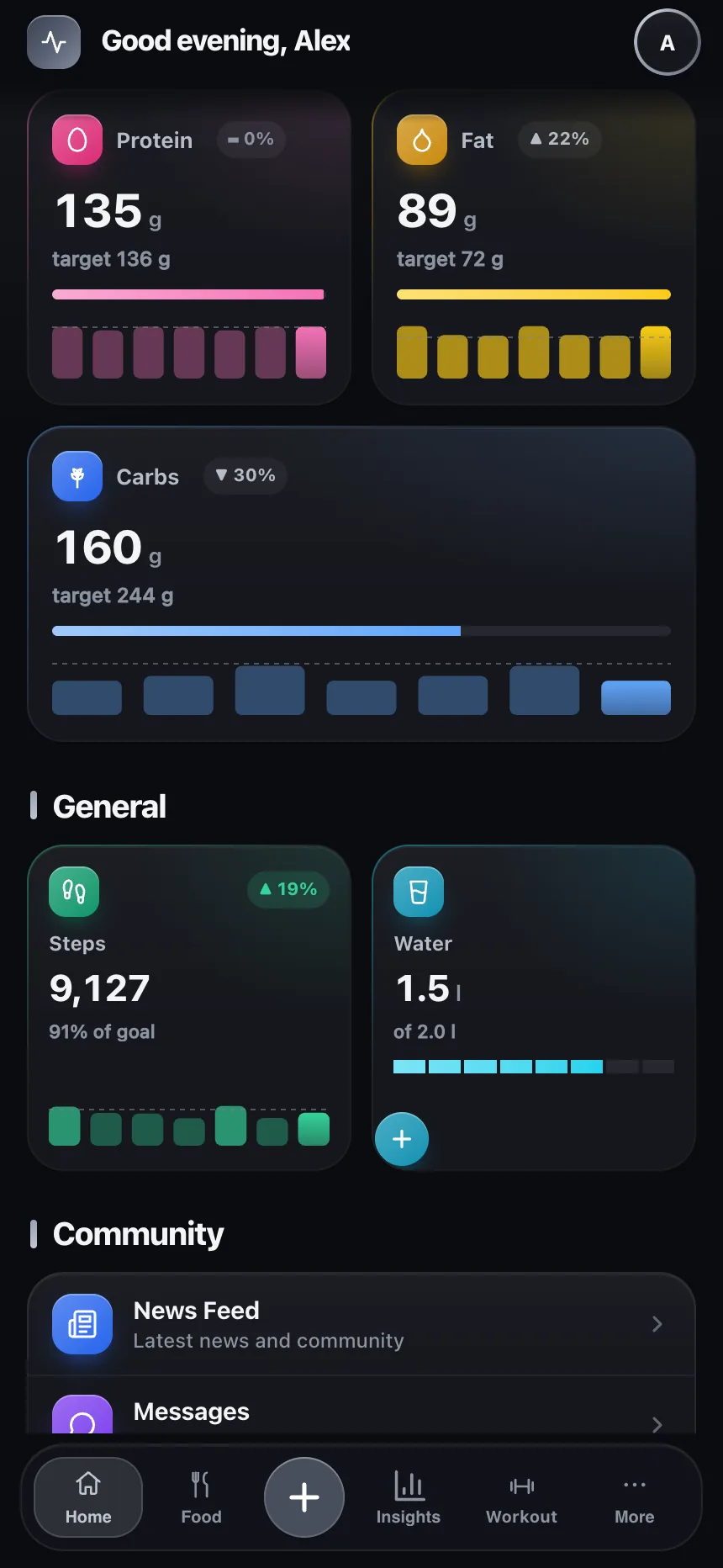
Screenshots taken from the real app: the daily dashboard, the new Movement tools, Pulse and Sleep analysis, Community, the News feed, and the monthly Challenge.
Keha (Body) hub
A home-screen panel with readiness, steps, sleep and resting heart rate — the day at a glance.
7-day day strip
On Movement, Pulse and Sleep: tap a day and the whole screen shows that day's data. That's how you browse history now.
Per-day AI coaches
"Analyze with AI" analyses the selected day — not always today.
Try the product, not a slideshow
A working TempoLife example — right here
Tap through the real TempoLife app — Home, Food, AI Insights, Movement, Sleep, Pulse, Fasting and Mood. The data is fictional and stays entirely in this page.






Photograph. Review. Save.
AI suggests visible foods and estimates calories, protein, carbs and fat. Correct ingredients or portions before saving.
AI coach for any day
"Analyze with AI" explains your sleep, heart rate, movement and meals in plain language and shows the trends over time — for whichever day you pick.
Pulse and recovery
Heart rate, HRV and zones from your watch, with the AI coach's reading. See what supports recovery and what costs it.
Movement and steps
Steps, workouts and active calories in one place. With Health Connect, your watch's movement lands in the diary automatically.
See your progress
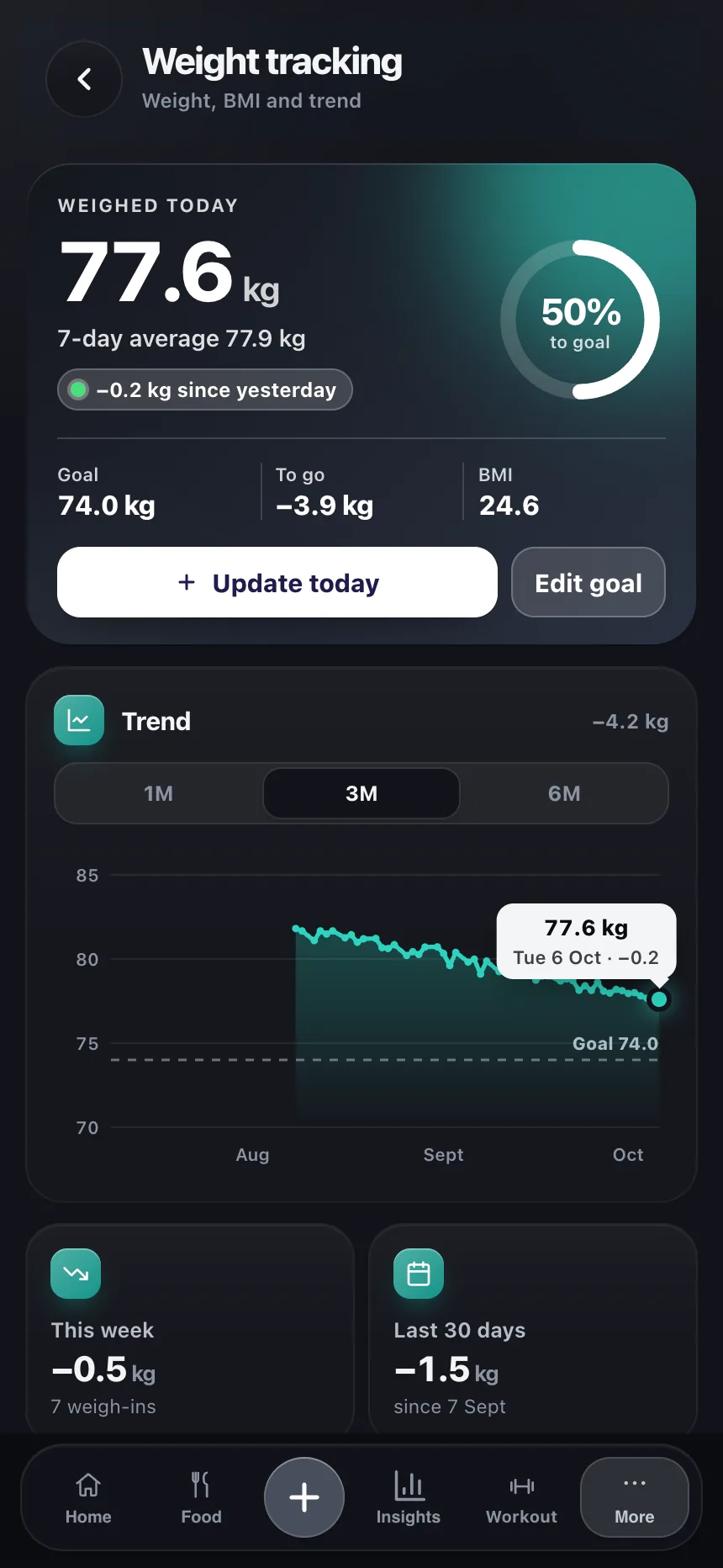
Your weight graph shows the trend week by week. Set a goal and review change over time.
Sleep, heart rate and movement — analyzed with AI
Review your logged sleep and movement with AI summaries. Optionally add Health Connect data on Android; availability depends on the source app and permissions.
Fasting and daily routines
Track fasting, water, sleep and activity in the same private diary. Choose which reminders you want to use.
Community and challenges
A monthly challenge with daily missions and a leaderboard, plus a news feed with a personal health selection.
How TempoLife works
1. Photograph the meal
One photo of the plate, taken in the app. Location and other metadata are stripped from the image before it is analysed.
2. Review the estimate
The AI lists the foods it can see and suggests a portion for each. Change a portion, remove an item that is not on the plate, add one it missed — nothing reaches your diary until you confirm it.
3. Save it to your diary
The meal joins the day's calorie and macro totals, next to your weight, sleep, steps and fasting. The diary is private to your account.
What a meal photo can and cannot see
A photo is good at the visible: which foods are on the plate, and roughly how much of each. It cannot see the oil a pan was cooked in, the sugar in a sauce, or the exact recipe behind a mixed dish. A photo estimate is a starting point, not a measurement.
That is why every number stays editable. For packaged food the label is more precise than any photo, and for a meal you eat often it is worth correcting the portion once — the corrected entry is what goes into your history. Logged consistently, even a rough number still shows the trend that matters.
Android phones only
TempoLife is available on Google Play for Android and as a food diary in your browser, including iPhone. There is currently no native iPhone app. Health Connect syncing requires the Android app; data availability depends on the source app, device and permissions. You can revoke access at any time.
What happens to your meal photo
TempoLife asks for your consent before the first photo leaves your phone, and you can withdraw it at any time in settings.
Before the image is sent, location and other metadata are removed from it. The photo then travels over HTTPS to Google Gemini for food recognition, with Anthropic Claude as the fallback if Gemini is unavailable. TempoLife processes the photo for that one request and does not store it.
What is saved is the result you confirm — the foods, the portions and the numbers you accepted — and that stays in the diary attached to your account. The privacy policy sets out the providers, the legal basis and the international transfer safeguards in full.
Common questions
Do I have to photograph every meal?
No. The photo is one way in, not a requirement. You can search the food database and add an item by name, repeat something you logged recently, or enter your own food using the numbers from a label. Nothing is sent to an AI provider when you log a meal that way.
What if the AI misreads the plate?
Change it. Every suggested food has its own portion field, so you can correct an amount or leave out something that is not on the plate. Only what you confirm reaches the diary, and the corrected version is what your history keeps. Anything the AI missed you can add from the food database.
Do I need a wearable or a smart scale?
No. Your food diary, weight entries and manual sleep logging work without a watch. Health Connect is optional on Android; available data depends on your device, source app and permissions.
What happens if I miss a few days?
Nothing breaks. TempoLife is a diary, not a streak you can fail — days you did not log simply stay empty, and you carry on from the day you are in. The weight graph and the trends read straight across the gaps.
Which languages does TempoLife speak?
English, Estonian, Finnish, Russian, German, French and Portuguese in the Android app. You can change language whenever you like; the switch at the top of this page works before you have an account.
Does TempoLife work on iPhone?
There is no iPhone app, but TempoLife works in your iPhone browser: you can create an account, photograph meals and keep the diary. Add the page to your Home Screen in Safari. Google Health Connect syncing is Android-app only.
Latest on X
Five latest tweets from @tempolifeapp.
Photo → AI estimate → you edit → save. The human stays in control. One free meal scan, no account: https://tempolife.app/try.php TempoLife is a diary, not a medical device.
Beans, lentils, tofu, rye — protein doesn't have to be a steak. Log the meal once; next time it's one tap. Estimates you correct, not a prescription. https://tempolife.app/article.php?p=protein-sources-vegetarian&lang=en
Low-carb vs low-fat: longer studies come out roughly even. Week-one drop is often glycogen water (~3 g water per gram stored carbs). The diet you can keep is the one that works. Not medical advice. https://tempolife.app/article.php?p=low-carb-vs-low-fat&lang=en
Restaurant plates run 1.5–2× a home plate, and the sauce is where the energy hides. Snap, estimate, fix the number, save. Err a little high; the week survives. https://tempolife.app/article.php?p=eating-out-basics&lang=en
Late snacks are usually habit, not hunger. A 20-minute pause, a glass of water, and logging it anyway keeps the week honest. The diary isn't the police. https://tempolife.app/article.php?p=late-night-snacking&lang=en